For developers and designers
Update themes, assets and configs across every project at once.
Like a careful script, with a preview and an undo button.
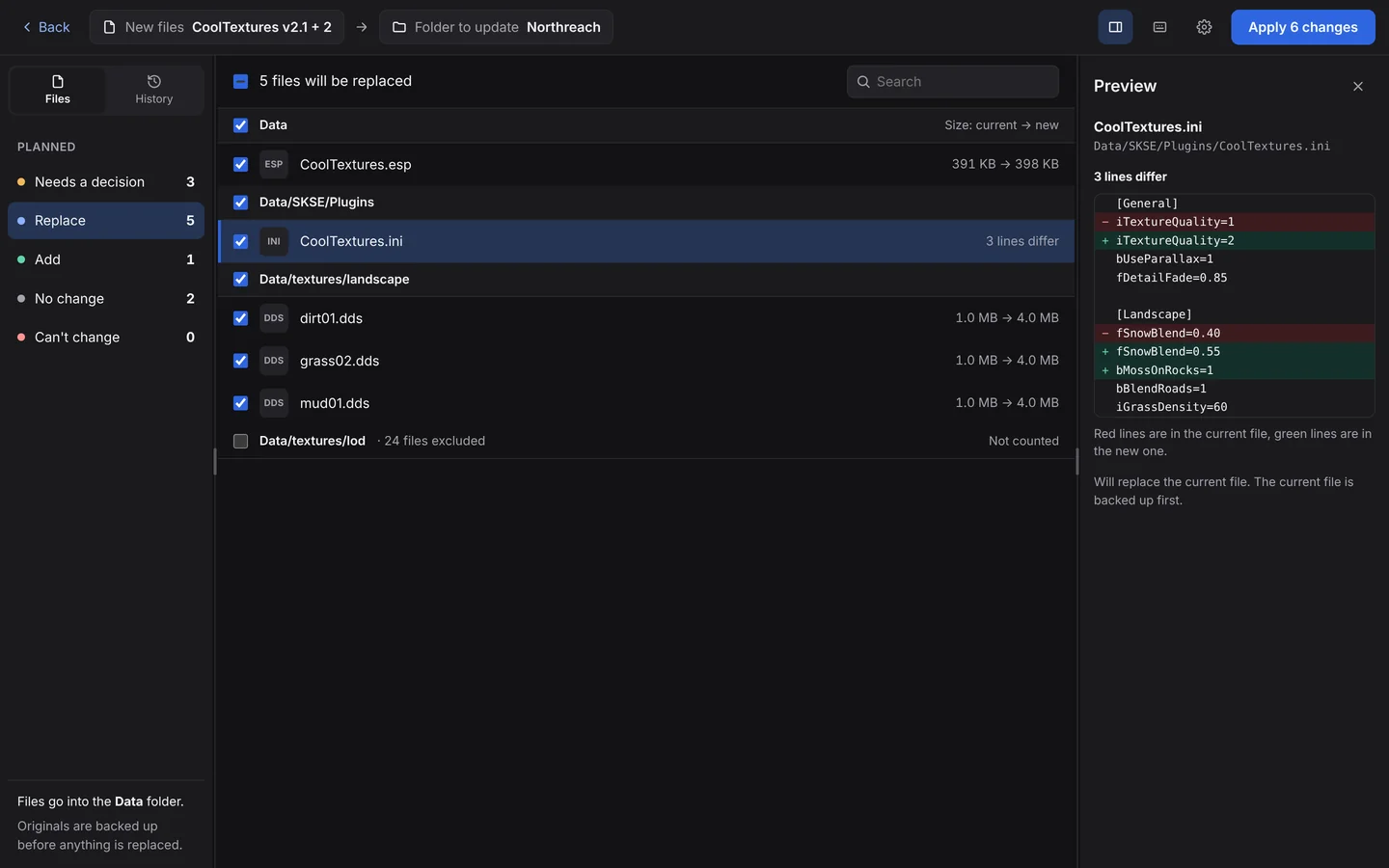
When a one-liner isn't worth the risk
A new icon set, an updated config, a fixed theme partial that lives in twelve client folders. You could write a script. Then you check its output, hope the glob didn't catch a vendor folder, and remember there's no undo.
- Text diffs before you apply. See exactly which lines change in every config and source file.
- Structure kept. Drop a folder tree and it's laid over the target by relative path, then by name.
- Stays out of tool folders. It never looks in or writes into
.git,.svn,.hgornode_modules. Your other dot-folders, like.githubor.vscode, are fair game. - Undo any run. Originals are backed up and checked first.
- Nothing changes behind your back. No background syncing or watching: you review, then Apply.
Version control is still the right home for code you own. BulkFileReplace is for everything around it: assets, generated files, client folders, and machines without git.
Questions
Does it work with build output like dist/ or build/?
Yes. Only folders another tool manages (.git, .svn, .hg, node_modules) are left alone.
Can I see what changes in text files?
Yes. Text and config files get a line-by-line diff before you apply.
Is it scriptable?
Not in 2.0. It’s built for reviewing a batch and applying it, with an undo.
Update everything. Break nothing.
Preview every change, automatic backups, undo any run. $19 once.