Install mods the safe way. On Windows, Linux and Steam Deck.
Drop the mod, pick your game folder, check every change, Apply. Every original is backed up first, and one click undoes the whole install.
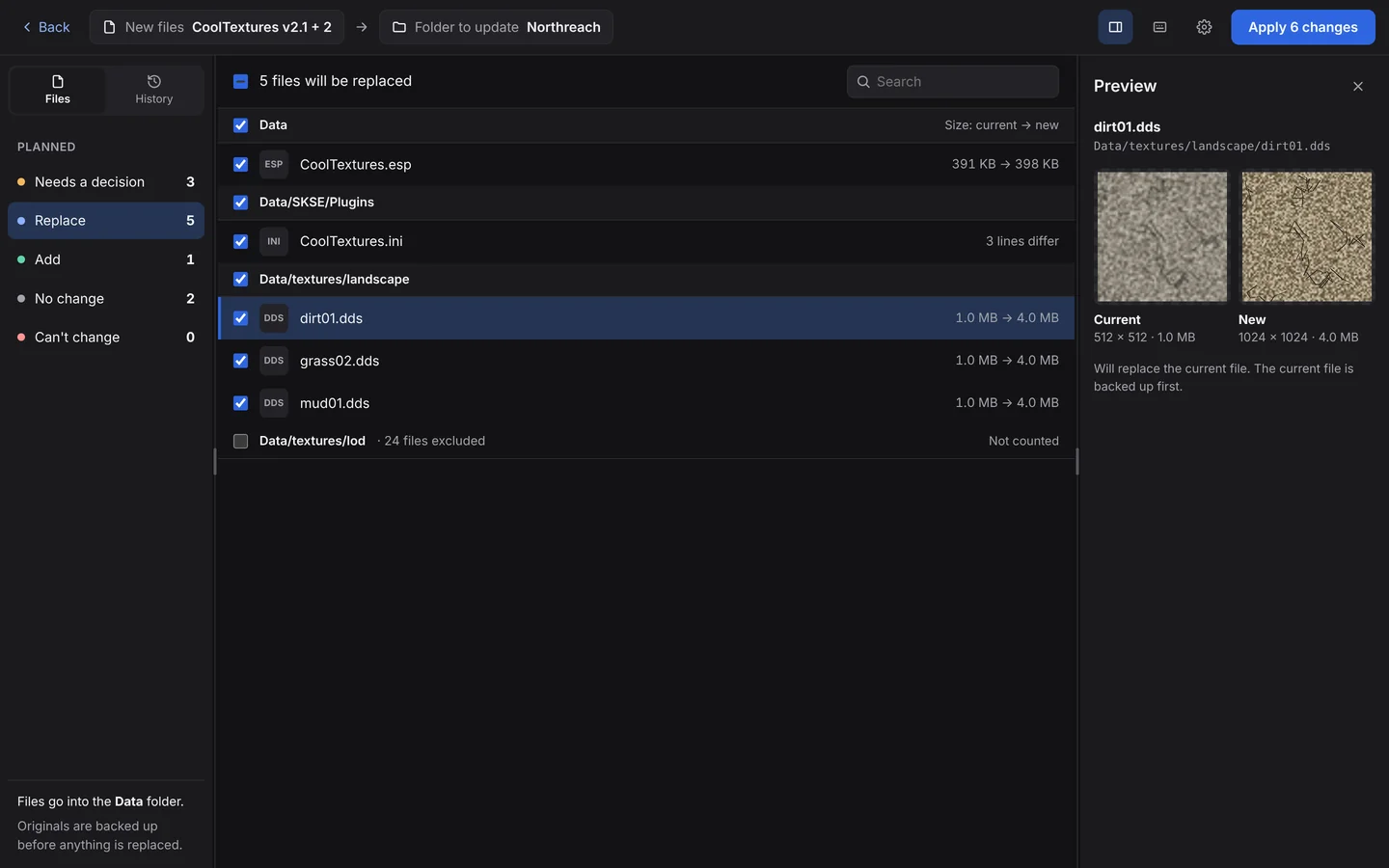
Manual installs without the risk
Plenty of mods are still a folder you copy over your game: a texture pack, an ENB preset, a config tweak. Doing it by hand means overwriting originals with no record of what changed, and no clean way back when the game won't start.
- It lines the mod up for you. A mod packed as
CoolMod/Data/Texturesgoes into your game'sData/Textures. BulkFileReplace picks the line-up that matches the most files and shows it in plain words; change it if you need to. - It never guesses. If a file name appears in more than one place, it stops and asks.
- See it before it happens. Every file is listed as Replace, Add or No change, with DDS textures, images and config files previewed side by side.
- Backed up, then undoable. Every original is copied and checked before it's replaced. Undo restores them and removes the files the mod added.
- ZIPs welcome. Drop the download as it is.
Linux and Steam Deck
BulkFileReplace runs on Linux as an AppImage, including Steam Deck in Desktop Mode. It works with any game folder, including Proton games.
Mods made on Windows often don't match your game's folder casing on Linux: the mod says data/textures, the game has Data/Textures. Copy that by hand and you get a second folder the game never reads. BulkFileReplace matches folders regardless of case and puts new files into the folders that are already there.
How to install mods on Steam Deck →
What it isn't
BulkFileReplace isn't a mod manager: no load order, profiles or enabling and disabling mods. If your game has great mod manager support, use it. BulkFileReplace is for the files you install by hand. When to use which →
Questions
Does it work with any game?
Yes. BulkFileReplace works with folders, so any game you install mods into by copying files works the same way.
Can I undo a mod I installed last week?
Yes. Every run is kept in History. Undo restores the original files and removes the files the run added. Files you have changed since are left alone.
Does it run on Steam Deck?
Yes, in Desktop Mode, as a Linux AppImage.
What about mods that share file names?
If a file name appears in several folders, BulkFileReplace asks where it goes instead of guessing.
Your next mod install, with an undo button.
Preview every change, automatic backups, undo any run. $19 once.