Guide
How to update the same files across many projects
A shared file lives in a dozen projects. It's changed. Here's how to roll the new version out without missing one, or breaking one.
Options
- Make it a dependency. If the projects are code you own, a shared package or git submodule is the long-term answer.
- Script it. A loop over project folders works, with no preview and no undo unless you build them.
- Use BulkFileReplace when the files are assets, configs, templates or client folders, or you just want to see each change before it lands.
With BulkFileReplace
- Drop the new files.
- Choose the parent folder that holds all the projects.
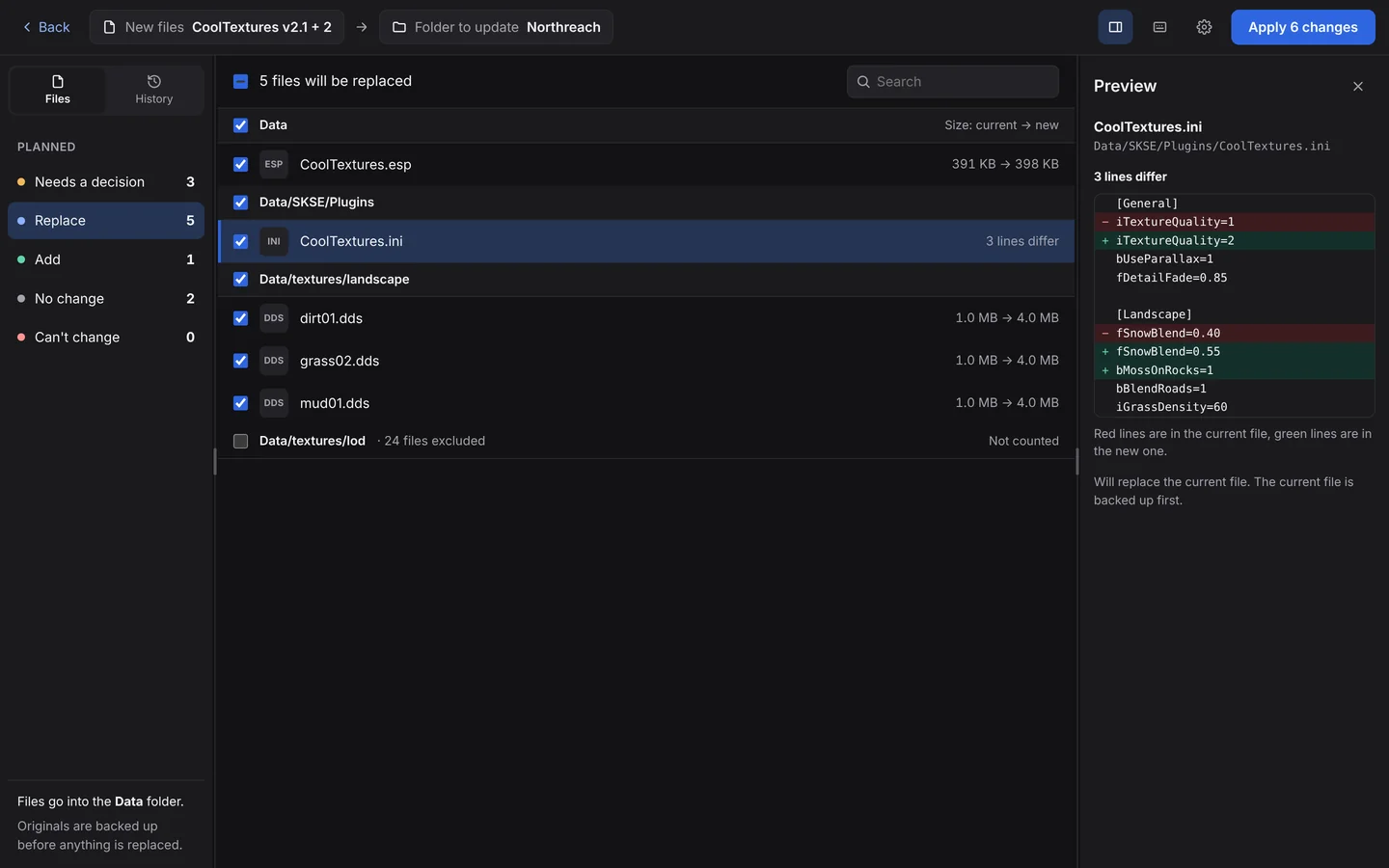
- Review. Each match is listed; text files show a line-by-line diff. Uncheck any project folder you want to leave out.
- Apply. Next time a new version arrives, files that are already current are skipped automatically.
BulkFileReplace never looks inside .git, .svn, .hg or node_modules.
Questions
Can I exclude some projects?
Yes. Every folder in the review has a checkbox; excluded folders are left alone and not counted.
Will it touch my git folders?
No. Files inside .git, .svn, .hg and node_modules are never changed.
Update everything. Break nothing.
Preview every change, automatic backups, undo any run. $19 once.